
Booth Slideshow
Offline photobooth rear-screen slideshow that reacts to new photos in real time
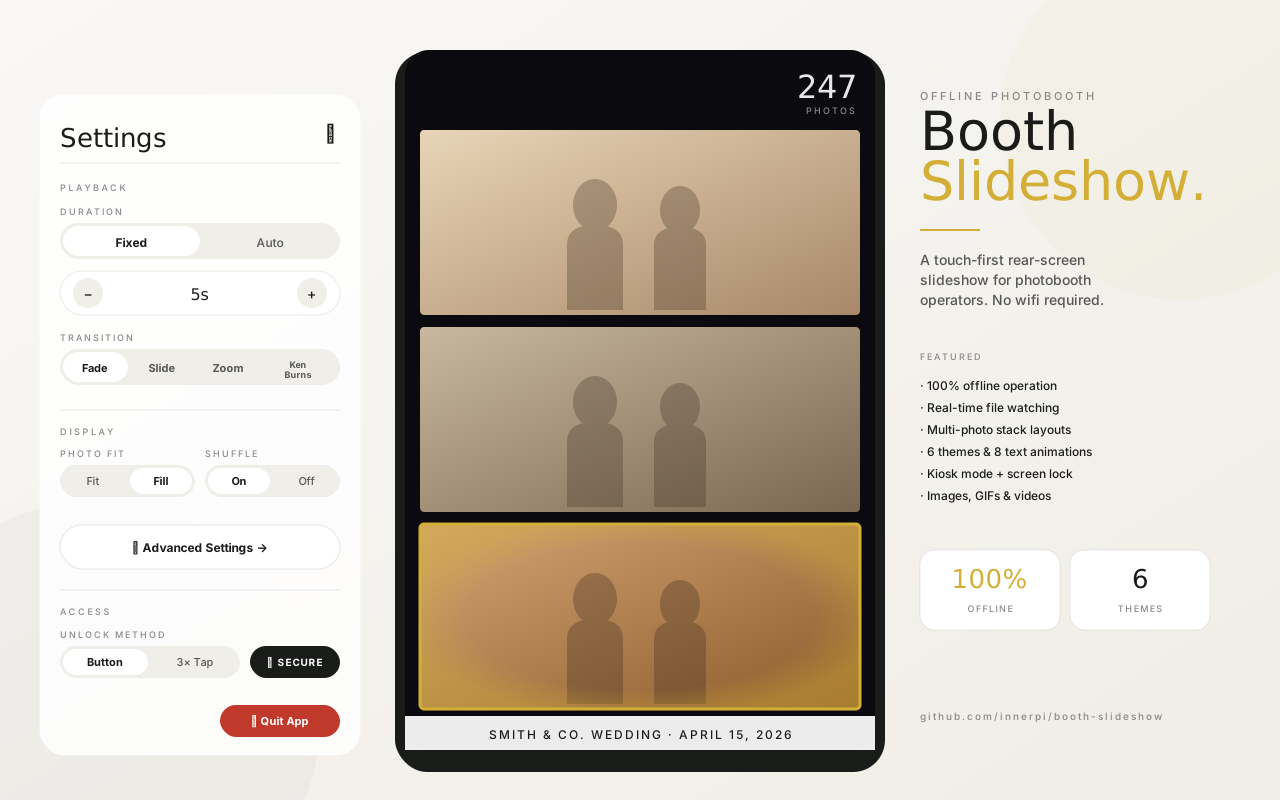
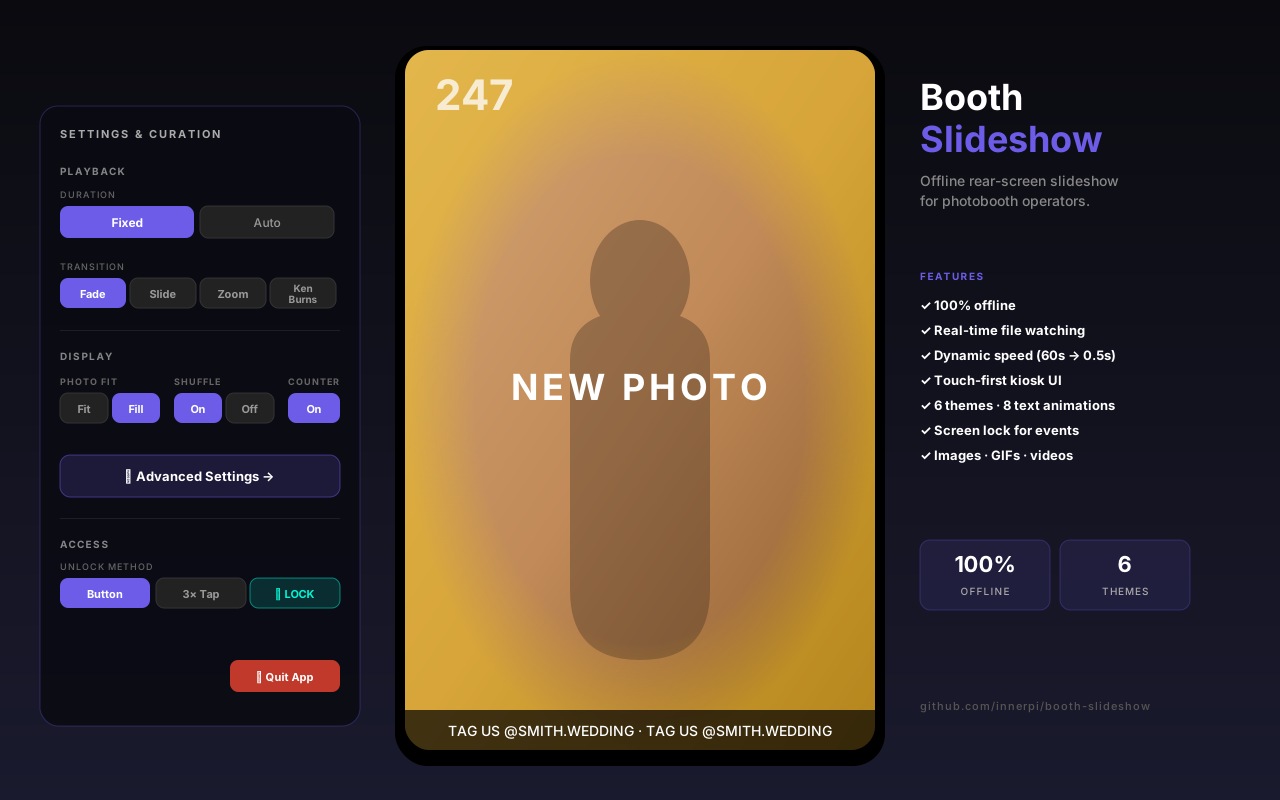
Built for photobooth operators who can't rely on Wi-Fi at events — runs 100% offline, watches the photo folder directly, and flashes each new shot on the rear screen the instant it lands on disk. No cloud, no login, no subscription.
Booth Slideshow is a zero-setup rear-screen slideshow built specifically for the realities of running a photobooth business at live events. It solves a problem every operator hits eventually: the venue has no Wi-Fi, or the Wi-Fi dies mid-reception, and suddenly the cloud-based slideshow app that came with your booth software is dead weight. This one runs 100% on the booth’s own computer, watches the event folder directly, and never needs to phone home.
Under the hood it’s a tiny Node.js server (Express + chokidar + WebSockets) pushing updates to a vanilla-JS client rendered in Chrome kiosk mode. The UI is touch-first from the ground up — 44px tap targets, no hover states, a bottom-sheet settings panel, and a screen-lock gesture so party guests can’t break the configuration mid-event. Eight text animation styles, six themes, dynamic transition timing, photo counter, nav buttons, video audio toggle, and a full local folder browser are all configurable from a single Advanced panel. It’s the kind of tool built by someone who actually runs events, for the same.
Instant new-photo alerts
A filesystem watcher detects each new photo the moment Lumabooth/dslrBooth writes it, then flashes the rear screen with a gold glow and 'NEW PHOTO' badge so the crowd notices.
Dynamic timing
Slow down transitions early in the night (60 seconds per photo) and automatically speed up as the photo count grows (down to 0.5 seconds). Configurable range and threshold.
Kiosk-grade touch controls
Runs fullscreen in Chrome kiosk mode with a touch-first settings panel. Includes a screen lock with hidden unlock gestures so guests can't mess with settings.
6 built-in themes
Dark, Gallery (glass morphism), Neon, Minimal, Warm, and Midnight — each with custom typography, colors, and motion. Switch live from the admin panel.
Images, videos, and GIFs
Not just photos — plays MP4/MOV/WebM videos inline (with optional audio) and animates GIFs. Auto-advances when videos end.
Point at an event folder
A 3-step wizard finds today's events automatically and lets you pick the dslrBooth/Lumabooth event folder and which subfolders to display (Singles, GreenScreen, etc).
Drag to the rear screen
Chrome launches in kiosk mode. Drag the window to the booth's back-facing display. Photos start rotating immediately; any existing photos in the folder become the initial rotation.
Let guests enjoy it
Every new photo triggers a dramatic reveal animation. Guests can tap BL/BR corners to browse back/forward. Operators tap the screen to adjust settings on the fly, or lock the screen with a corner-tap gesture.
Does this require an internet connection?
No. The server and client run entirely on one Windows machine. Fonts are bundled locally. Auto-updates are optional — if online it pulls from GitHub, offline it runs the last version silently.
What photobooth software does it work with?
Anything that writes photos to a folder — designed and tested with Lumabooth 8 (formerly dslrBooth 7) on Windows 10, but works with any camera app that saves JPG/PNG to a watched directory.
Can I brand it for my client?
Yes. Upload a logo (PNG/SVG) with configurable position, size, and opacity. Add a scrolling text bar with 8 animation styles (marquee, typewriter, wave, pulse, etc.) and 3 speeds.
How does the lock feature work?
From the settings panel, tap 'Secure Screen'. The entire UI becomes unresponsive to guests. To unlock, use a hidden semi-transparent button (configurable opacity) or triple-tap a chosen corner within 2 seconds.
Is it really free?
Yes — open source on GitHub. Clone, run 'npm install', then double-click start.bat to launch in kiosk mode. Auto-updates via git pull on startup.